Career paths

Career path software for associations

An interactive map of the careers in your profession: where people start, the steps to senior roles, and what each one takes. Every role opens the live jobs for it on your job board.
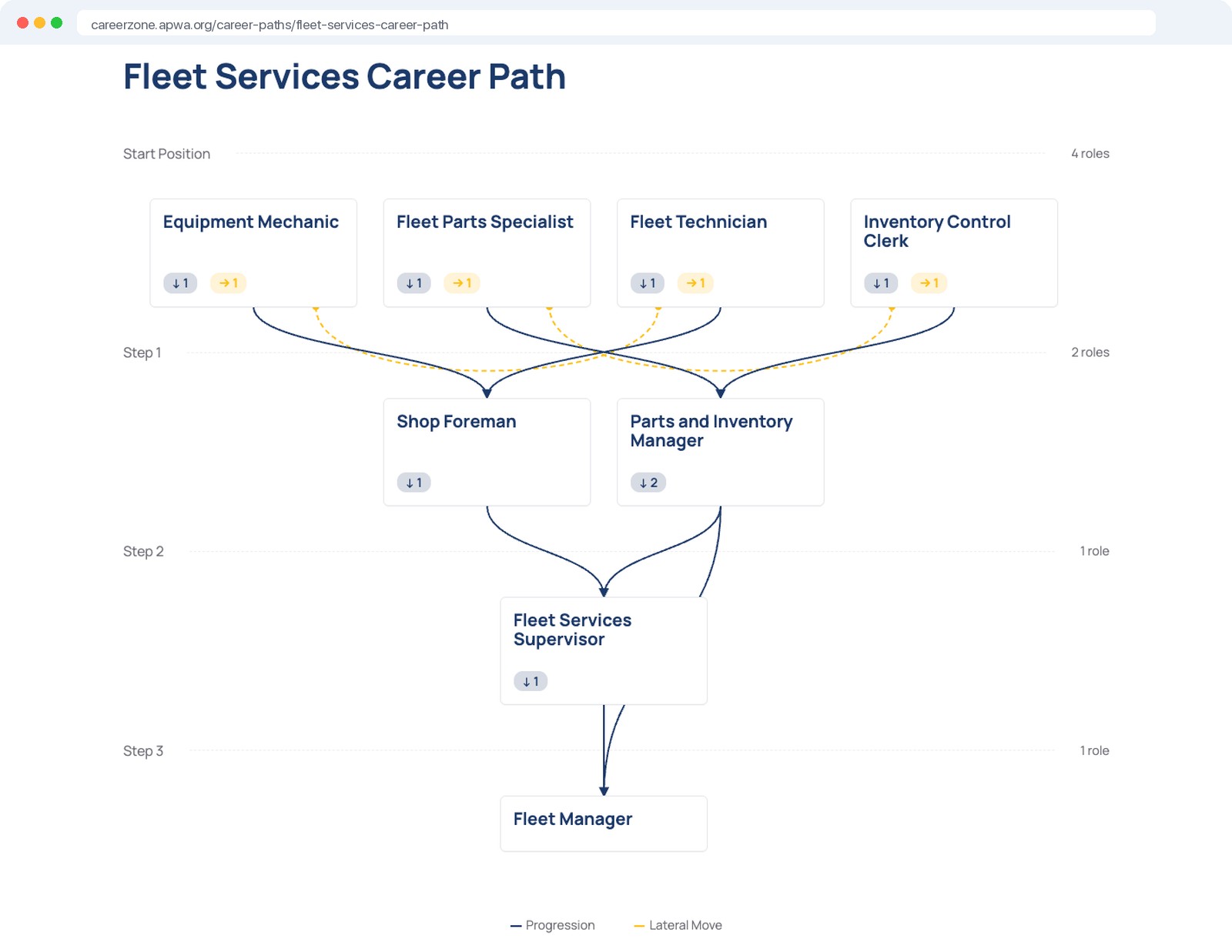

Career path software: an interactive career map for fleet services roles, from Equipment Mechanic to Fleet Manager, on an association career center built by Web Scribble
8 roles, 3 stepsEntry level to Fleet Manager
Open jobs for every rolePulled live from the job board
Trusted by the world’s leading associations
naswieeeaccashaaanaomoptica

Career advancement is why people join. Give them the map.

Members want to know which roles exist in their field, what the next one takes, and who is hiring for it. Career path software answers all three on your site, so they stop looking elsewhere.

Members

Every role in their specialty, the moves between them, and what each one requires. Click a role to read the job and see who is hiring for it.

Students and early career

A clear picture of the profession before they commit: where people start, where the roles lead, and what to study to get there.

Your association

Your site becomes the place members plan their careers. You define the paths for your profession, so the map reflects how your field actually works.

The paths

One map for each area of your profession.

Career paths are organized the way your field is: by specialty, department, or practice area. Each path packages the roles in that area into a map, from the first job to the most senior, with a short description of the area and the titles it covers.
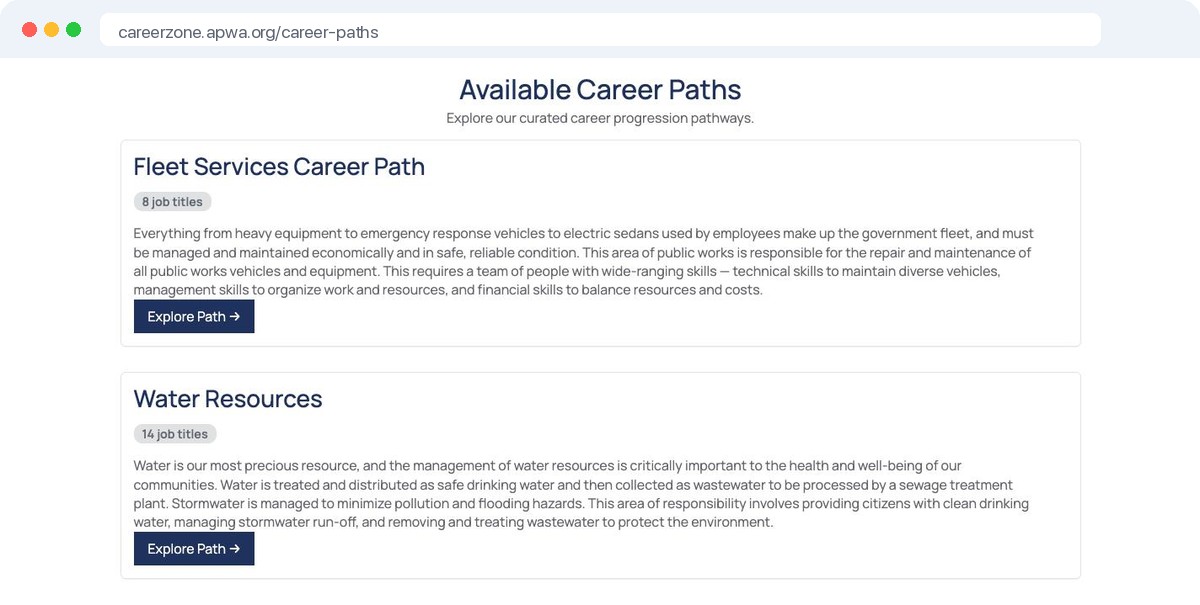
  • A path for each specialty, department, or track
  • Defined by your association, not by a generic database
  • Add paths as your profession changes
Career path software: the list of career paths on an association career center, with the number of job titles in each
The map

Every role in the field, and how they connect.

Each path is an interactive map. Roles sit in steps from the starting positions to the senior ones, with progression and lateral moves drawn between them. Members see the whole field at a glance instead of one job title at a time, and hover a role to highlight where it leads.
  • Start positions, steps, and senior roles on one screen
  • Progression and lateral moves shown as connections
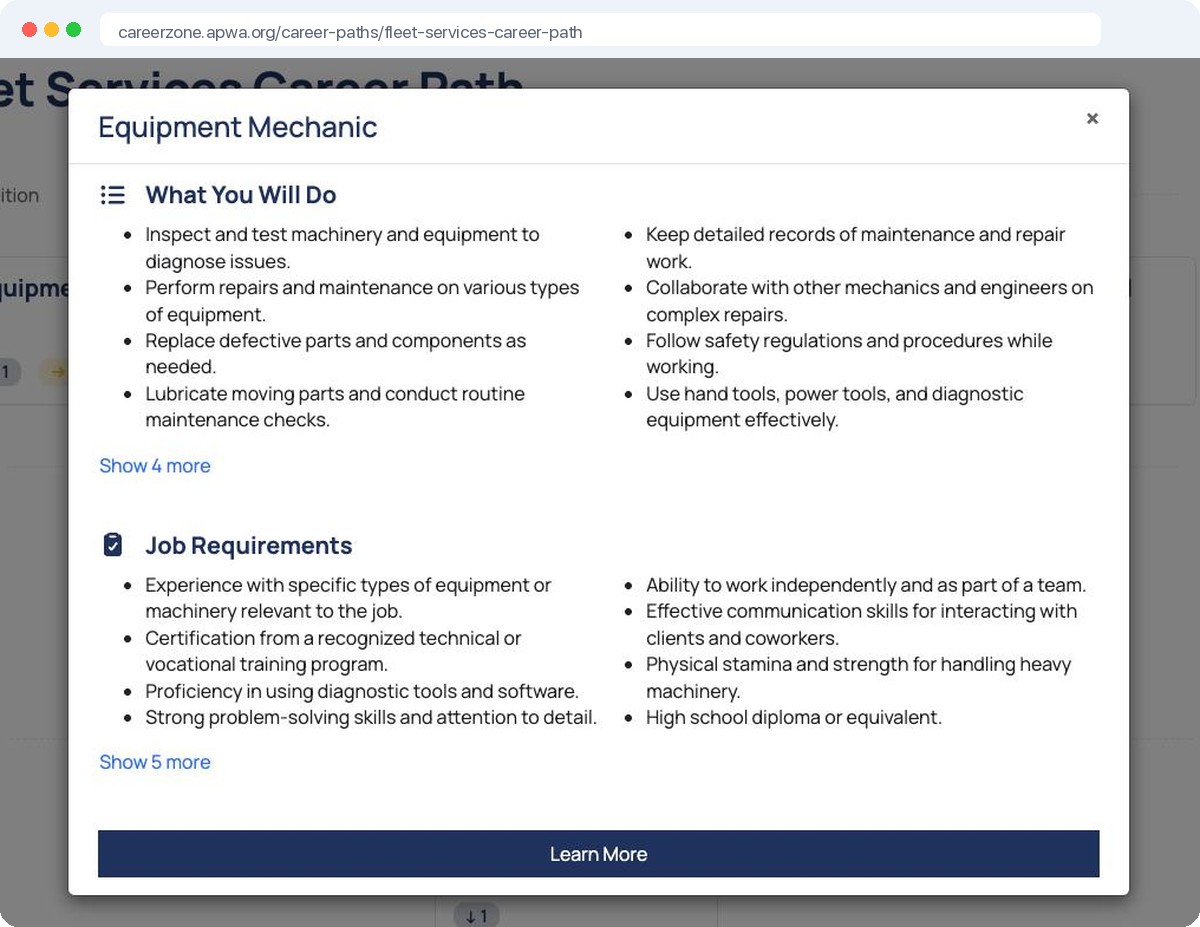
  • Click any role to open the details
A role opened from a career map, showing what the person does and the job requirements
Jobs

From a role on the map to a real opening.

A career path is not a poster. Each role connects to the live jobs for that title on your job board, and members can have new ones emailed by title and zip code. Standalone career sites can’t do this. Yours can, because the paths and the job board are one platform.
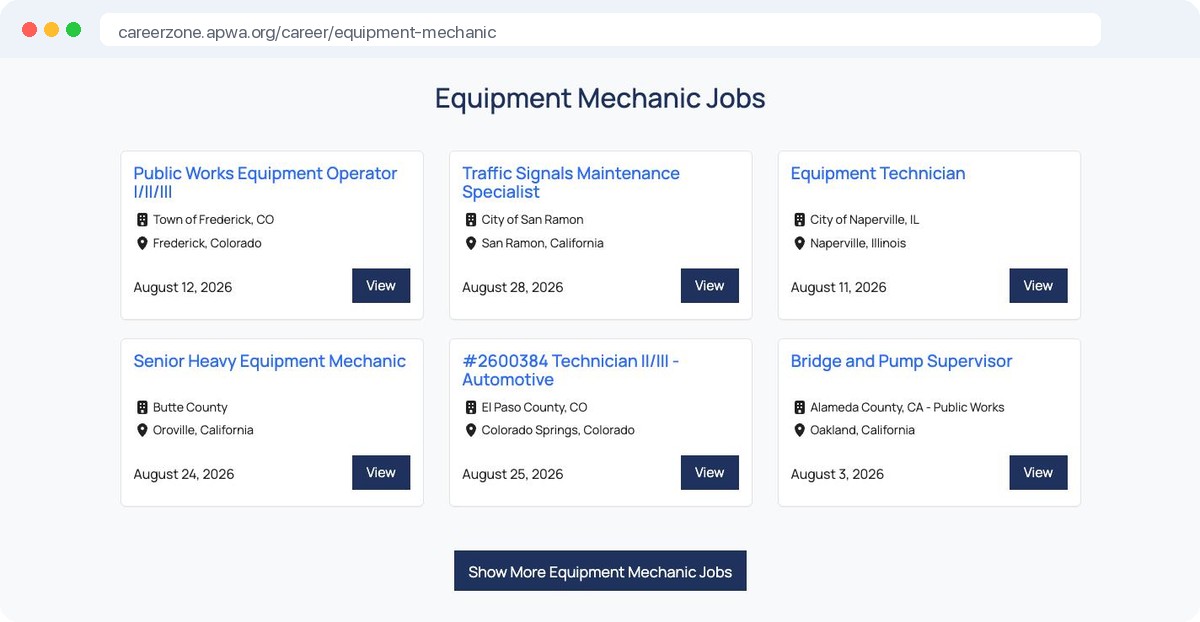
  • Open jobs for the title, pulled live from your board
  • Job alerts by title and location, sent in your name
  • One click from reading about a role to applying for one
Live job listings for a job title inside an association career center
The guide

How to get there, step by step.

Behind every role is a career guide: an overview of the job, the job description, common interview questions, and the steps to become one, from training and certification to the first application. Written for the titles in your profession, on your career center.

  • Overview, job description, and interview tabs for each title
  • Steps to become one, with the training and certifications that matter
  • Public pages that search engines index under your domain
A career guide for a job title with overview, job description, interviews, and career path tabs
Why it gets used

A map of your profession, connected to your jobs.

Members can find generic career ladders on the open web. What they can’t find is a map of their own profession, defined by their association, that ends in real openings. Career path software sits inside your career center, next to the job board, career resources, and mentoring, on the login members already have.

See the job board software →
Every role ends in your jobsLive postings and alerts for the title
Public pages that search engines indexNew visitors arrive at your site, not a competitor’s
Defined by your professionYour staff and volunteer leaders set the paths and the roles
Nothing to installRuns on your career center, in the browser, on the same login

What’s in the career path software

Everything below is included. Nothing is an add-on.

Interactive career maps

Roles in steps from entry level to senior, with progression and lateral moves drawn between them.

One path per specialty

Organize paths by practice area, department, or track. As many as your profession needs.

Role details on click

What the person does and what employers require, for every role on the map.

Live jobs and alerts

Open jobs for the title from your board, and alerts by title and zip code.

How to become one

Steps from training and certification to the first application, for each title.

Interview prep

Common interview questions for the role, next to the job description.

Built for your profession

Your association defines the paths and roles, so the map matches how your field works.

Built for search

Each path and guide is a public page with a title people search for. The traffic comes to you.

Part of the career center

Same login as the job board, career resources, and mentoring. Nothing separate to run.

Career path software from a team that only builds association career centers

Independent

Our partners set the roadmap, not investors. What associations ask for is what gets built.

20 years in career centers

Career centers for associations are all we build. 99% of our partners stay with us year over year.

A true partner

One project manager from kickoff, a support team you can call, and a roadmap we build together.

Frequently asked questions

Plain answers to the questions associations ask us about career paths.

What is career path software for associations?

Software that gives an association’s members an interactive map of the careers in their profession. Each path covers one area of the field and shows the roles in it, from starting positions to senior ones, with the progression and lateral moves between them. Every role opens to what the job involves, what employers require, a career guide for the title, and the live jobs for it on the association’s job board.

How do members use it?

They open a career path for their area from the career center and see the whole map. Most click the role they hold, then the one above it, to compare what the next step requires. From there they read the career guide or go straight to the open jobs and set up an alert for the title.

Who defines the paths and the roles?

Your association does. Staff or volunteer leaders decide which areas get a path, which roles belong in each step, and how the roles connect. Our team sets it up with you at launch, and paths can be added or changed as the profession changes.

Does it work with our job board?

Yes. Career paths are part of the same career center as the job board, so every role shows the open jobs for that title from your board and offers job alerts for it. If you already run a Web Scribble career center, career paths are added to it.

Does it help our search rankings?

Each career path and each career guide is a public page with a title people search for, such as how to become a role or what a role does. Those pages are indexed by search engines under your domain, so the traffic comes to your site.

How much work is it for our staff?

The main work is deciding the paths and roles, which most associations already have in some form. After launch the job listings, alerts, and guides update on their own. Your staff can point members and students to the paths from newsletters and the member portal.

What does career path software cost?

It depends on the size of your membership and whether you already run a Web Scribble career center. Career paths are priced as a module, and most partners add them to an existing career center. Request a demo and we will price it for your association.

See a career map for your profession.

Get started